Digital marketing KPIs answer different questions at each funnel stage. Use impressions and reach to measure awareness, engagement and time on site to describe consideration, and conversion rate, revenue, and return measures for decision. Start with the campaign objective, then name the event, denominator, and period that make the KPI meaningful.
How digital marketing KPIs map to funnel stages
The funnel starts with a person noticing an ad. Then interest appears. A decision ends with a conversion or sale. That's the basic path.
Tie each KPI to the job. Exposure uses impressions and reach, while response uses engagement or time on site; clicks can support it. Outcome uses conversions or revenue, and return adds the cost view to your result.
Clicks, sessions, and impressions become KPIs only when a goal gives a change in them business meaning, as the metric/KPI distinction explains. Set a target such as cost per acquisition against a target CAC. Drop raw measures that don't show whether the objective succeeded.
A spreadsheet can store every figure, but it can't tell you what the campaign should change, so state the numerator, denominator, period, and business objective beside the KPI. When you choose a metric, ask what change it's meant to show. Keep the same definitions from the first display to the sale.
Compare channels at the stage level rather than as isolated platform totals. Put organic social, short-form video, paid social, display, PR, and podcast guesting in one awareness view, then use reach across channels combined as the stage KPI. For interest, use engaged time on owned properties; for consideration, marketing-qualified leads; for decision, closed-won revenue and assisted conversions; and for retention, net revenue retention, as this stage mapping sets out.
Use directional bands to find a leak before changing a channel. These ranges can help:
- 25-40% of visitors move from awareness to interest.
- 5-15% of engaged users move to consideration.
- 10-25% of leads reach decision.
When a stage underperforms, look for high bounce, sub-30-second sessions, exit on the first scroll, form abandonment, and pricing-page bounce. These stage benchmarks and symptoms are directional; inspect the next event and denominator instead of labeling a campaign good or bad.
Emerging 2026 KPI signals in modern reporting
Keep classic funnel measures beside three newer checks when search, privacy, or tracking conditions affect attribution. AI Overview citation rate shows how often AI-powered search surfaces your content. Dark traffic share estimates visits from untracked or privacy-obscured sources. Data quality score shows how reliable the underlying tracking is, as the 2026 KPI list defines them.
Treat these as reporting controls as well as performance figures. A low data quality score lowers confidence in funnel movement. Dark traffic share points to visits that may not sit cleanly in channel reports, while AI Overview citation rate adds a search-surface signal that impressions and clicks alone don't describe. Keep each measure tied to the reporting problem it's meant to expose.

Awareness stage metrics: impressions, reach, and clicks
Awareness starts with a display. Impressions count every display, while reach counts distinct people or accounts under the reporting system's rules. Clicks show that someone acted. You can use clicks as the handoff from being seen to doing something.
Impressions versus reach
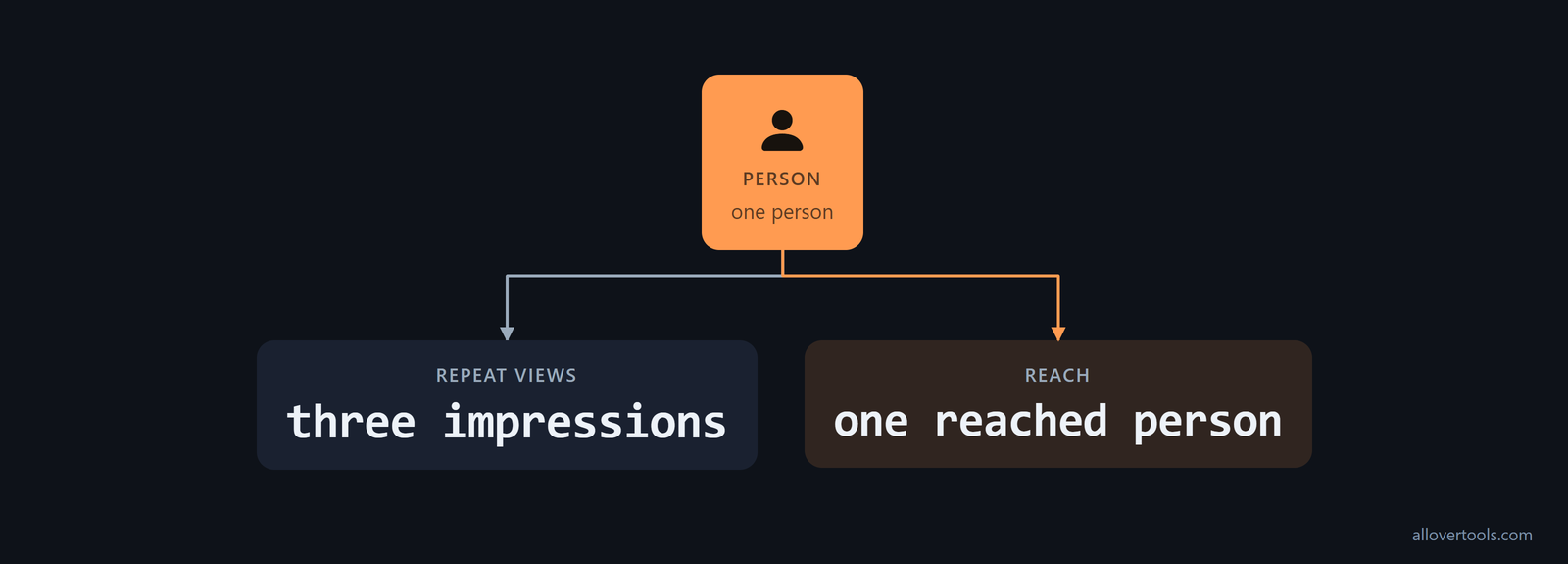
Repeat views count. That's why one person can create three impressions and one reached person.
Impressions ask, "How many displays occurred?" Reach asks, "How many distinct people or accounts were exposed?" Write down how the system counts a distinct audience, and don't treat either measure as sales proof.
Add brand search volume to the awareness view. It counts how often the brand is searched. Branded queries show whether exposure led people to look for the brand name, while rising brand search volume typically indicates stronger awareness and consideration driven by upper-funnel campaigns, according to this brand-search guidance.
CTR as the exposure-to-response bridge
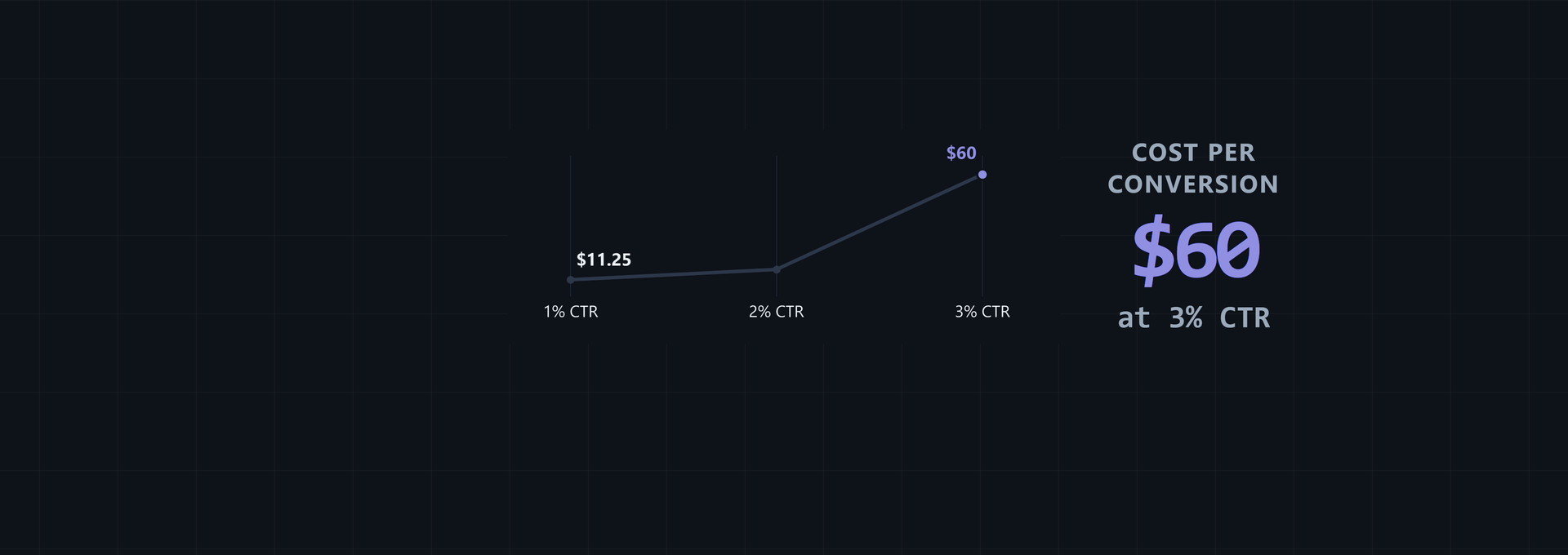
CTR means click-through rate. It's clicks divided by impressions, then multiplied by 100. The result tells you how often an impression led to a click; it doesn't tell you how many reached people clicked, which is why CTR can't replace reach.
CTR = clicks / impressions * 100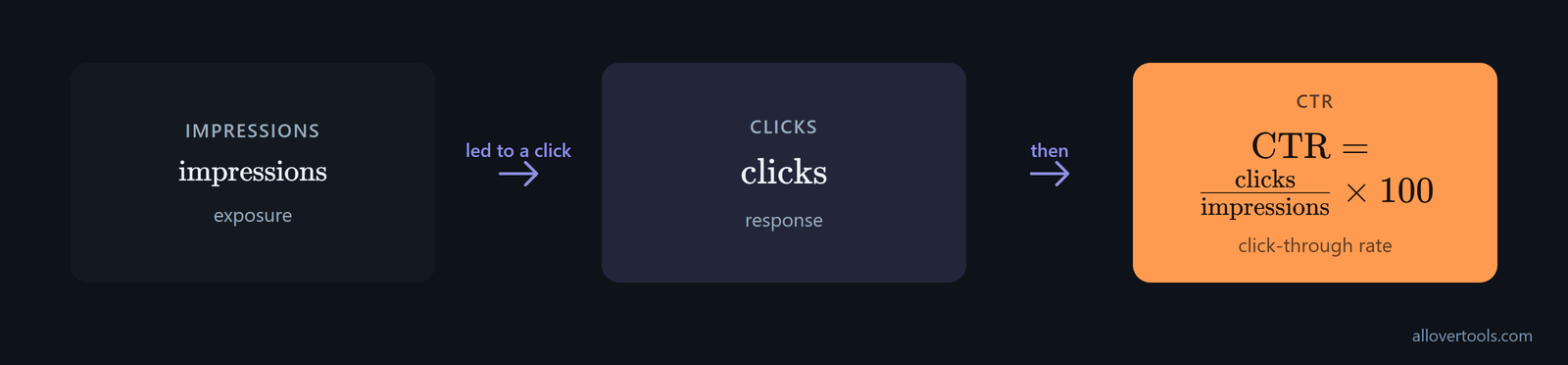
Enter Period in the CTR Calculator. Add Clicks and Impressions. Target CTR (%) - optional is available for comparison. Choose Calculate CTR next.
The result shows Click-through rate and Impressions per click, and it also shows Non-clicked impressions, which gives you the display and click counts in one place for checking the calculation. Impressions must be above zero, and clicks can't exceed them.
Use the Marketing Metrics Calculator for the full campaign path. Its campaign row carries Spend and Impressions. It also carries Clicks. The row has Conversions and Revenue too, so you can keep exposure and outcome figures together.
Delivery totals alone don't show whether awareness carries forward. Top-of-funnel checks include unique reach, completion rate, and click-through rate. Middle-of-funnel checks include detail page views, new-to-brand percentage, and branded search index, as Amazon's funnel metrics distinguishes them. Keep new-to-brand percentage separate from repeat-purchase measures so the report shows whether buyers are first-time customers or repeats.
Consideration stage metrics: engagement rate and time on site
Consideration starts after exposure. A visit or interaction means more than a display, but you still need a named event and denominator, so choose the interaction that matters before the KPI.
Make the engagement denominator explicit
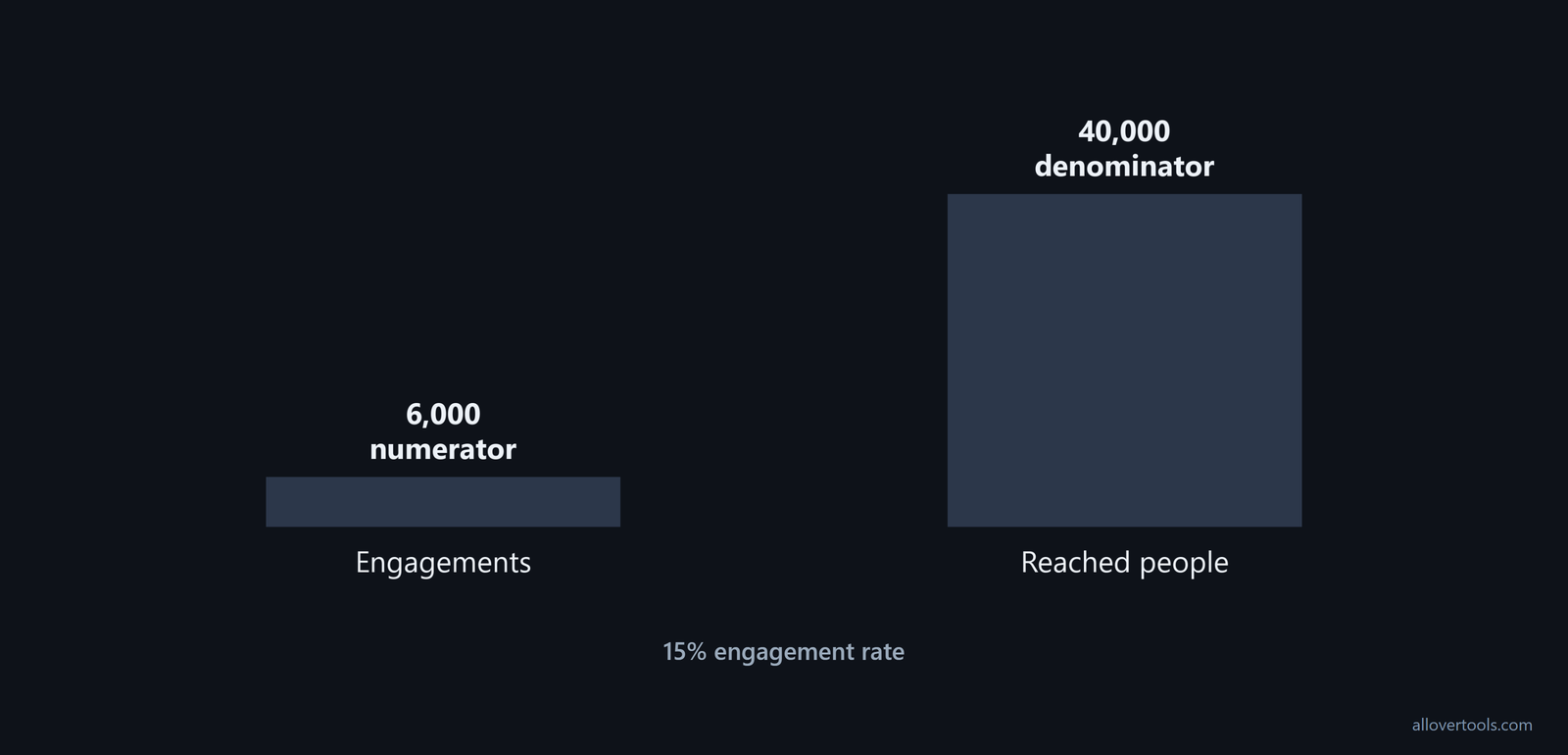
Engagement rate uses a declared engagement count and a declared eligible audience. Divide the first by the second and multiply by 100. For the dashboard, use engagements divided by reach.
engagement rate = engagements / reach * 100Here, 6,000 engagements over 40,000 reached people gives 15%. Another platform may use a different engagement rule or audience, so record both parts beside the rate. If you change the denominator, you change the question.
Don't swap totals quietly.
Read time on site as context
Time on site records the time for a visit or session, but treat it as context because the analytics system's session and exit rules matter when you interpret the result.
Clicks and content interactions can add detail, but choose the one that matters first. Long visits can still end in no sale. A high rate doesn't either. You can describe attention without claiming a business result.
Set the lead-quality event before counting consideration performance. An MQL is a lead that meets clear qualification criteria such as company size, job title, or intent. That makes it relevant for sales outreach or high-touch nurturing. Keep the MQL definition beside the count so sign-ups that don't meet those filters aren't reported as equivalent demand.
B2B KPIs from form fill to pipeline value
For a B2B funnel, follow the path from the first form fill to the value of won business instead of stopping at a website conversion. The core measures are form fills, Marketing Qualified Leads (MQLs), demos created, lead-to-demo rate, opportunities created, pipeline Annual Contract Value (ACV), and Closed-Won ACV, as the B2B KPI sequence lists them.
Keep the stages visible in the dashboard. Form fills show capture; MQLs show that the agreed company-size, job-title, or intent criteria were met; demos show a deeper sales action; opportunities show pipeline creation; and ACV puts a value on the pipeline and the closed-won result. Lead-to-demo rate connects volume to sales readiness. Pipeline ACV connects marketing activity to sales pipeline rather than only counting conversions.
Decision stage metrics: conversion rate, revenue, and return
Decision metrics sit at the finish. Conversion rate is conversions divided by a selected total, multiplied by 100. That total can be visitors, leads, sessions, clicks, or a custom total when it matches the event and period.
Match conversion rate to the funnel step
Conversions divided by clicks answers a different question from conversions divided by visitors. Which funnel step are you measuring? Use clicks for click-to-conversion, or visitors for visitor-to-conversion.
The formula can look correct and still mislead you if the event, denominator, or period doesn't match. Before you compare two rates, check that they describe the same funnel step.
Select Denominator type and Period in the Conversion Rate Calculator. Enter Conversions and Total visitors (period), or the matching selected total. You can compare against Target conversion rate (%) - optional. Then choose Calculate conversion rate.
Results include Conversion rate, denominator per conversion, Non-converting total, and Gap vs. target. A zero denominator is invalid, so an empty total can't produce a rate.
Separate ROAS from ROI
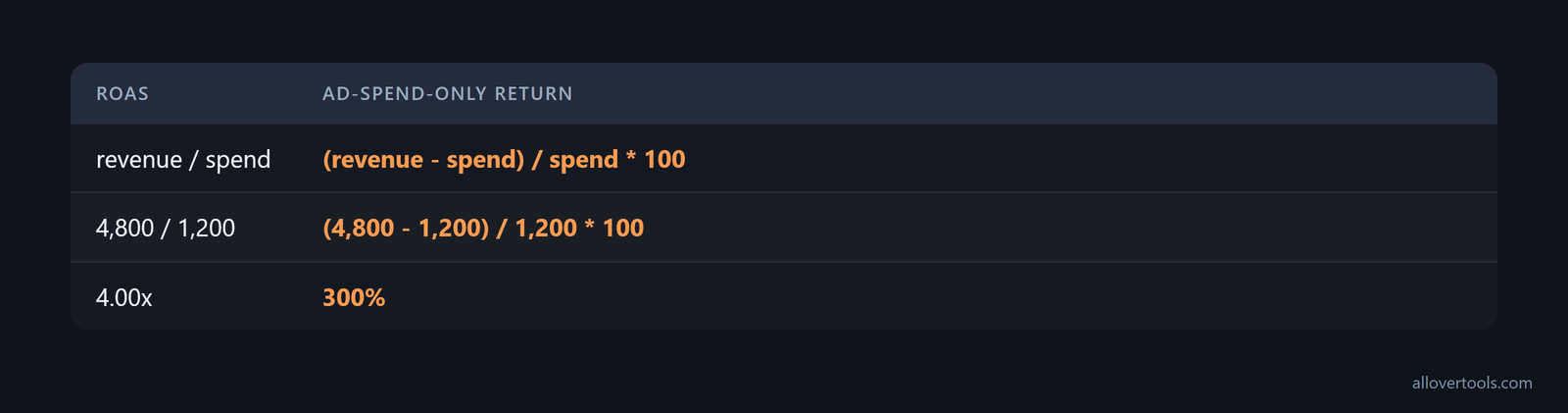
Sales revenue is the value attributed to the completed sales represented in the report. ROAS is revenue divided by spend. Ad-spend-only return subtracts spend before the division:
ROAS = revenue / spend
ad-spend-only return = (revenue - spend) / spend * 100
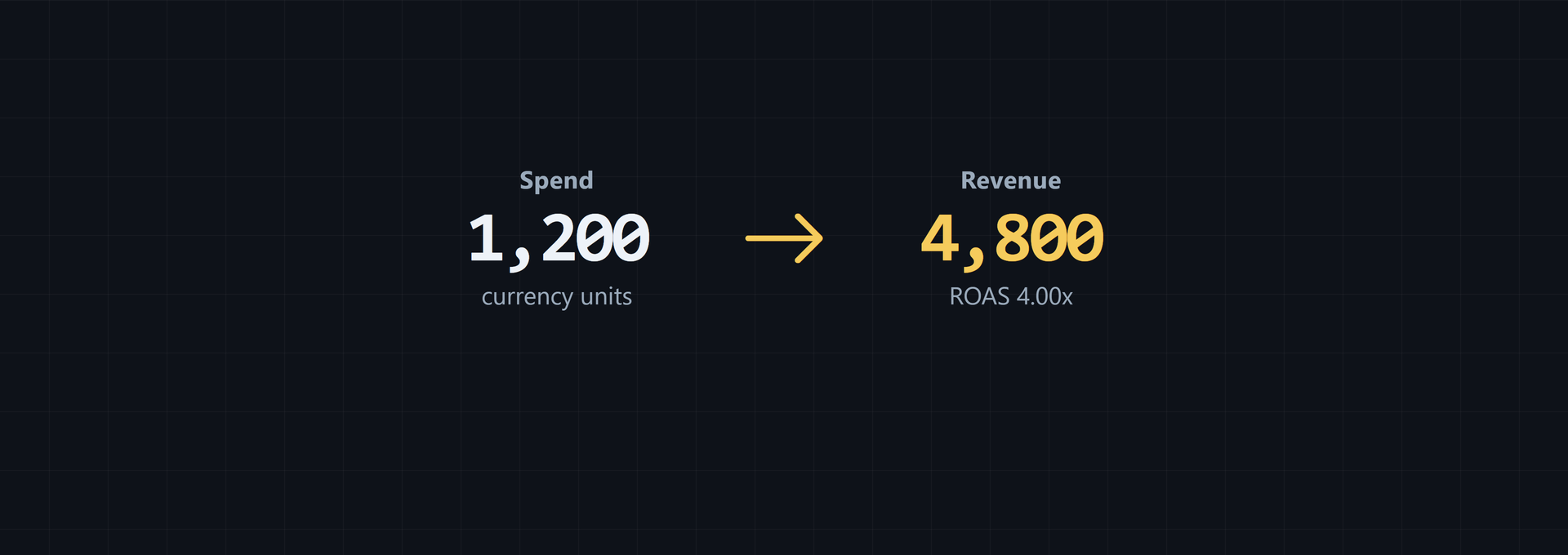
With revenue of 4,800 and spend of 1,200, ROAS is 4.00x. That return is 300%. ROAS isn't full ROI when other costs are missing.
Compare customer lifetime value with acquisition cost when the decision concerns long-term economics. Customer lifetime value measures the revenue an average customer generates over the relationship. The LTV:CAC ratio compares that value with what is spent to acquire the customer; a higher ratio indicates more profitable acquisition and stronger long-term funnel economics, as this revenue KPI guidance states.
Use marketing efficiency ratio when channel-level attribution is too detailed for the decision. Its calculation is:
MER = total revenue / total marketing spendMER shows how much total revenue the business generated for each monetary unit spent on marketing overall. Compare it across periods as a high-level efficiency KPI, with the stage and channel measures beside it, according to the MER formula.
At the decision phase, pair conversion rate with cart abandonment rate and demo or trial sign-ups. Cart abandonment shows how many buyers started but didn't finish. A demo or trial sign-up is a decision-stage event in product-led or B2B motions where purchase doesn't happen immediately, as the decision-stage measures explain.
Worked campaign KPI dashboard from impressions to return
This example uses chosen values, not a benchmark. Read the figures together: exposure, attention, action, and outcome each have a place. You don't need one number to explain the whole campaign.
Chosen inputs and calculated outputs
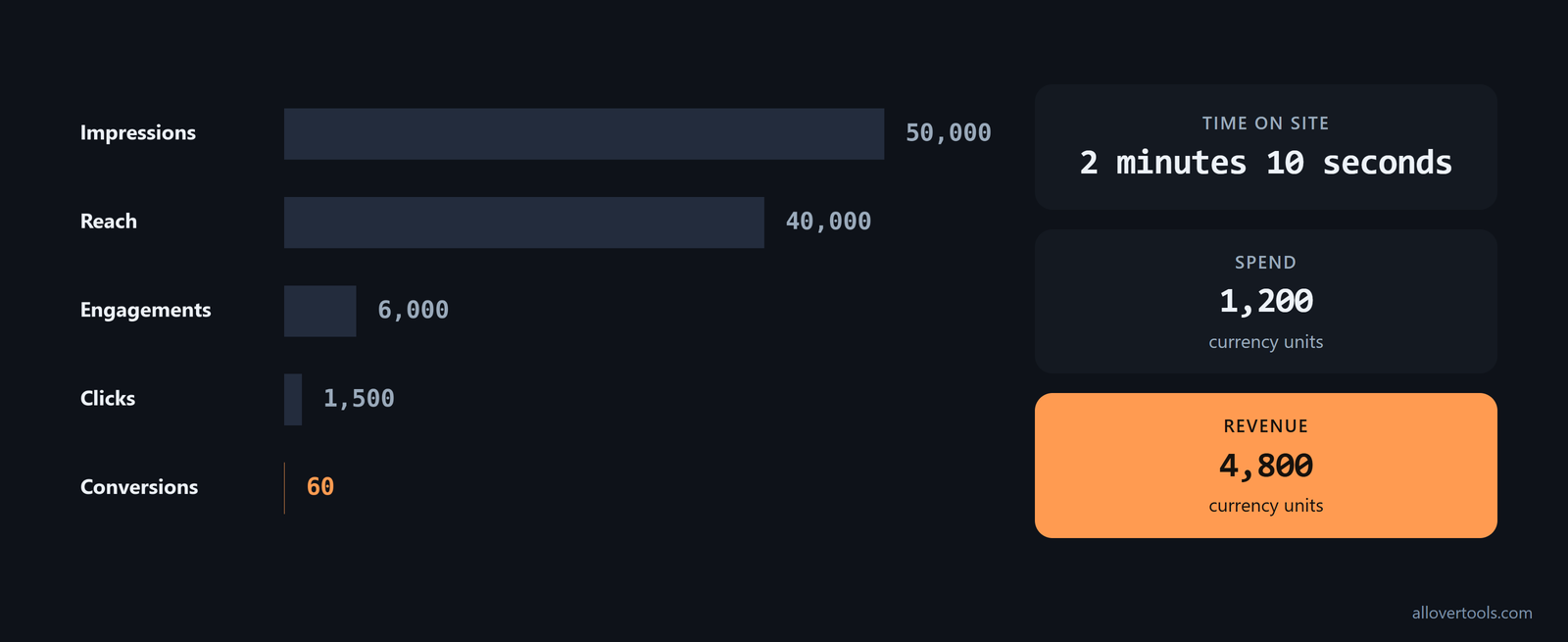
The campaign has 50,000 Impressions, 40,000 Reach, 6,000 Engagements, and 2 minutes 10 seconds of Time on site. It also has 1,500 Clicks, 60 Conversions, 1,200 currency units of Spend, and 4,800 currency units of Revenue.
In this dashboard, divide engagements by reach.
Engagement rate = 6,000 / 40,000 * 100 = 15%
CTR = 1,500 / 50,000 * 100 = 3%
Conversion rate = 60 / 1,500 * 100 = 4%
CPM = (1,200 / 50,000) * 1,000 = 24 currency units
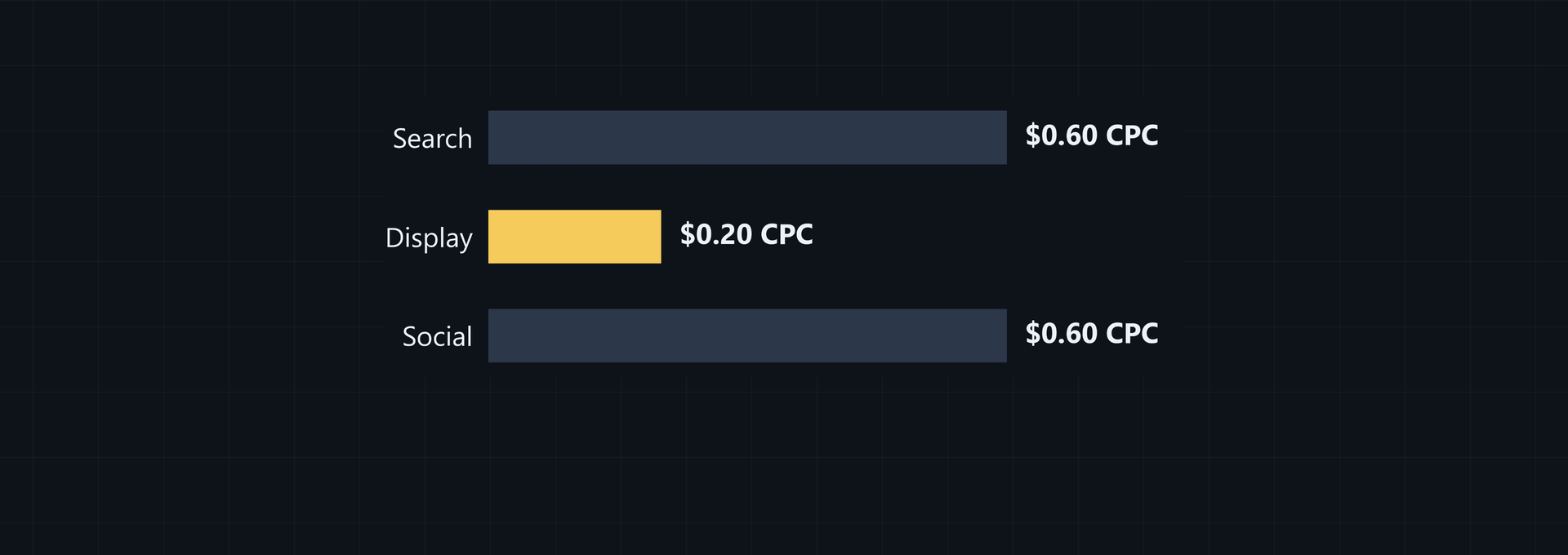
CPC = 1,200 / 1,500 = 0.80 currency units
ROAS = 4,800 / 1,200 = 4.00x
Ad-spend-only return = (4,800 - 1,200) / 1,200 * 100 = 300%
Exposure: 50,000 impressions and 40,000 reached people. Attention: 6,000 engagements, with recorded time of 2 minutes 10 seconds. Action: 1,500 clicks and 60 conversions. Outcome: revenue totals 4,800 currency units against 1,200 currency units of spend.
Build and read the dashboard
Enter Campaign name, Spend, Impressions, Clicks, Conversions, and Revenue in the calculator. Choose Currency and Attribution assumption. Then choose Calculate metrics.
Read Results for ROAS, CPM, CPC, CTR, and Conv. rate. Read Numerators and denominators to see the values in each formula, which helps you catch a mismatch before comparing campaigns. You can then trace a result back to its inputs.
Currency labels the display, so it doesn't convert amounts you enter. Attribution assumption records the label; it doesn't assign conversions. Affected metrics show N/A when a denominator is zero.
The supplied calculator JavaScript has no fetch, XMLHttpRequest, sendBeacon, or form post carrying entered values, so the calculation stays in your browser when you use it. Copy results and Download CSV create local outputs.
Strategic, operational, and diagnostic KPI roles
Sort the dashboard by the decision a KPI supports, not only by funnel stage. Executive reporting stays focused, while the team still gets enough detail to act.
Strategic KPIs answer whether marketing is growing the business. Examples include marketing ROI, customer acquisition cost, customer lifetime value, and the LTV:CAC ratio.
Operational KPIs steer the team week to week. Examples include conversion rate, cost per lead, and ROAS.
Diagnostic KPIs explain why strategic and operational measures moved. Examples include bounce rate, pages per session, cart abandonment rate, and MQL-to-SQL rate.
Put strategic KPIs in executive reports, operational KPIs in the weekly campaign view, and diagnostic KPIs beside the change they are meant to explain. That role-based split is set out in this KPI classification.
Retention stage KPIs: repeat purchase rate, customer lifetime value, and net revenue retention
Add retention as a fourth stage after awareness, consideration, and conversion. In this four-stage model, marketing KPIs align with Awareness, Consideration, Conversion, and Retention. Repeat purchase rate and customer lifetime value show how many customers return after their first purchase and how valuable they are over time, according to this four-stage model. Keep these measures separate from conversion KPIs because they describe different parts of the funnel.
Use retention-stage channels such as customer email, in-app messaging, customer community, expansion content, and referrals with a shared post-purchase view. Net revenue retention combines repeat purchase, expansion revenue, and churn into one metric. It shows whether existing customers collectively generate more or less revenue over time, as the retention KPI guidance explains. Put repeat purchase rate, customer lifetime value, and net revenue retention beside the channel that can influence them so a strong first purchase doesn't hide weak return behavior.
Keep five long-term health measures alongside campaign metrics: web traffic and list growth for awareness and interest, conversion rate and average order value for desire and action, and repeat purchase rate for retention. These five measures give the funnel a consistent view over months or years, according to the long-term KPI set. Use the same definitions across seasons, then add channel or campaign diagnostics only where they explain a change in that durable set.
- Awareness and interest means web traffic and list growth.
- Desire and action means conversion rate and average order value.
- Retention means repeat purchase rate.
Common mistakes when choosing funnel KPIs
Most errors begin before math. If the objective isn't named, the event is unclear, or the denominator changes between reports, a precise decimal won't fix the report.
One KPI for every stage hides whether people saw, considered, or completed the path. Engagement without its numerator and denominator can make different events look comparable.
Check the numerator, denominator, and period
Impressions aren't reach. Clicks work as a conversion denominator only for the click-to-conversion step.
Did conversions and clicks cover the same period? If they didn't, the math may be correct while the question is wrong.
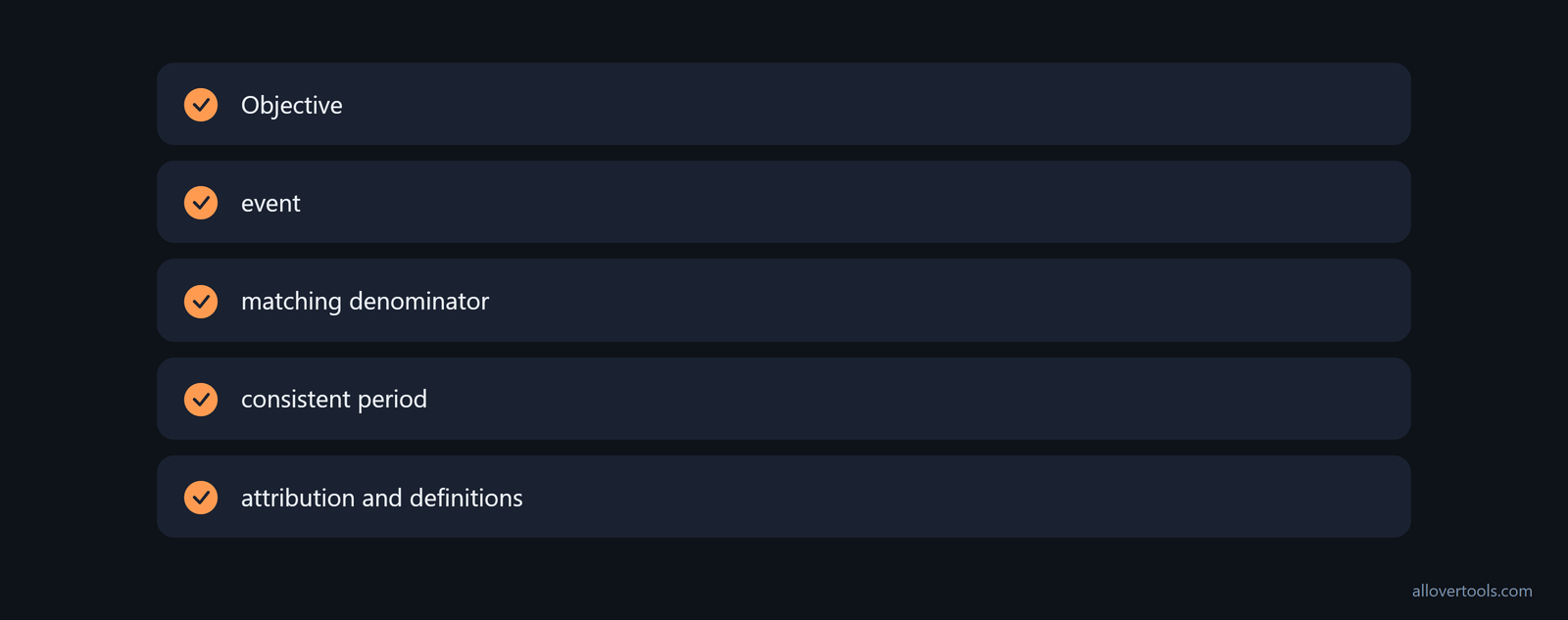
Before you report a ratio, name the objective and event. Choose the matching denominator and keep the period consistent. Record attribution and definitions beside the value; if you can't state those parts, the number needs more context.
Do not overread a single KPI
Pair exposure with consideration measures. Add a decision measure when a completed outcome matters. Keep the attribution label beside revenue. Keep ROAS separate from that return percentage and complete ROI because they include different costs.
N/A means zero denominator in the combined calculator. It isn't a low performance score.
Frequently asked questions
What are the most important digital marketing KPIs for a funnel?
There's no single KPI for every stage. Use impressions and reach for exposure, then track the declared engagement rate or a visit's time on site for consideration. For decisions, track conversion rate or revenue; return gives you the cost view. Your objective and denominator decide which measure fits.
How do I choose between impressions, reach, and clicks?
Use impressions for total displays. Use reach for unique exposed people or accounts. Use clicks for the next active response. Keep the denominator matched to your question, and don't use impressions as reach.
What is the formula for conversion rate in digital marketing?
To calculate conversion rate, divide conversions by the selected matching total, then multiply by 100. The total may be visitors, leads, sessions, or clicks. It must cover the same event definition and period as the conversions.
Is ROAS the same as ROI for a campaign?
No. ROAS uses revenue over advertising spend. The return percentage subtracts spend before dividing by spend. Complete ROI needs the costs in your business definition.