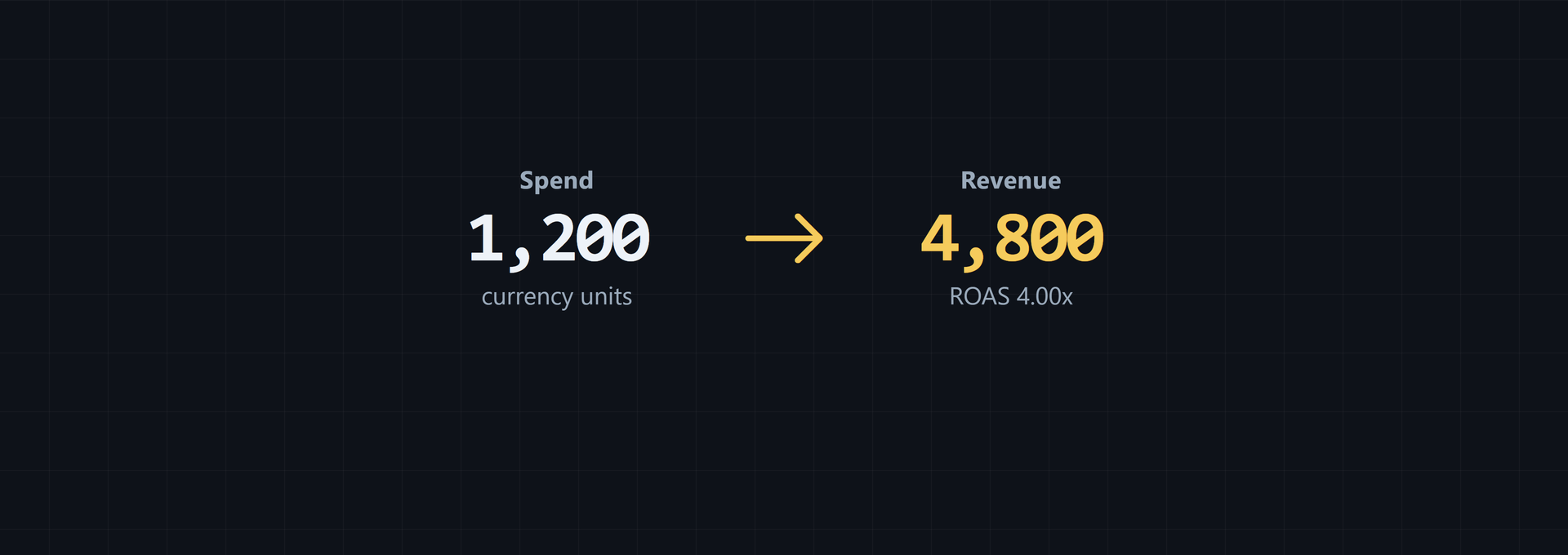
The ROAS formula divides attributed conversion revenue by advertising spend. It shows how much revenue a campaign generated for each dollar spent on ads. A 3:1 result means $3 of attributed revenue per $1 of spend, not $3 of profit. To compare campaigns, use the same period, currency, and attribution basis.
What the ROAS formula measures
ROAS means return on ad spend. It's a ratio. The top number is conversion revenue credited to the campaign; the bottom number is ad spend during that campaign or period. That distinction matters.
Count revenue only when the measurement partner or platform can credibly link it to the ad spend in question. Putting total store revenue or brand-wide sales in the numerator makes the ROAS estimate look higher and can steer optimization toward channels that only seem stronger, as Unity's attribution rule explains.
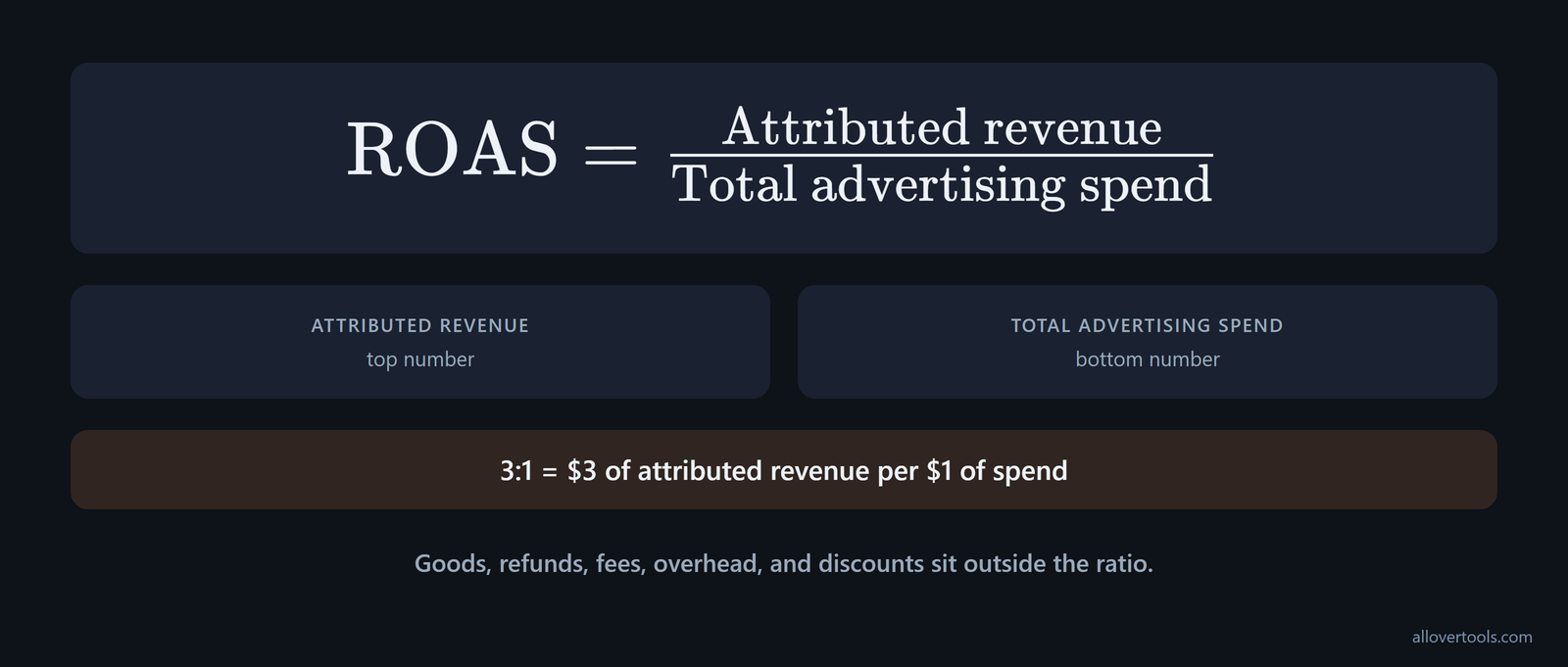
What does one unit of spend produce? That is what the ratio asks. Profit needs more inputs: goods and refunds sit outside the ratio, as do fees and overhead; discounts sit outside it too.
Define the denominator before you compare results. The standard calculation counts direct advertising costs paid to platforms such as Facebook, Google, or TikTok. It doesn't include hidden costs such as ad management fees or creative production, according to Shopify's standard definition.
A broader denominator can also include advertising-related costs beyond the platform bill. The additions identified in broader cost guidance are:
- Salary costs, whether in-house or from an outsourced third-party agency.
- Vendor or partnership costs.
- Affiliate costs, including commissions.
- Network transaction fees, including the percentage of transactions taken by the network.
Label the result as platform-only or full-cost, then use that definition throughout the comparison.
Before comparing a report's ROAS with campaign-attributed revenue, check which numerator it uses. Shop Campaigns uses Total sales / Ad spend for built-in ROAS tracking, as Shopify's Shop Campaigns formula states. If a tool uses total sales, confirm that definition before treating its ratio as equivalent to one based only on attributed sales.
A 3:1 result is 300% as a percentage. Same quotient. For comparisons, keep the period and currency fixed. Use one attribution basis, too.
How to calculate ROAS from attributed revenue and ad spend
You start with attributed revenue. Divide it by total advertising spend for the same campaign or time interval. The denominator must be above zero. Division by zero gives no ROAS result.
ROAS = Attributed revenue / Total advertising spendThe revenue figure is credited under your chosen attribution basis. Ad spend is the amount paid for ads during the selected period. Do both inputs cover the same scope? They should.
For mobile user acquisition, the revenue input typically comes from in-app purchases or ad revenue generated by users acquired through the campaign, not only from an upfront sale, according to the mobile ROAS definition. For app and subscription campaigns, state the attribution window and forecasting method alongside the ratio when projected user lifetime value is part of the revenue model.
A ratio uses an x or :1 suffix. A percentage multiplies that quotient by 100. For the chosen example, you have $12,000 in attributed revenue and $4,000 of total advertising spend.
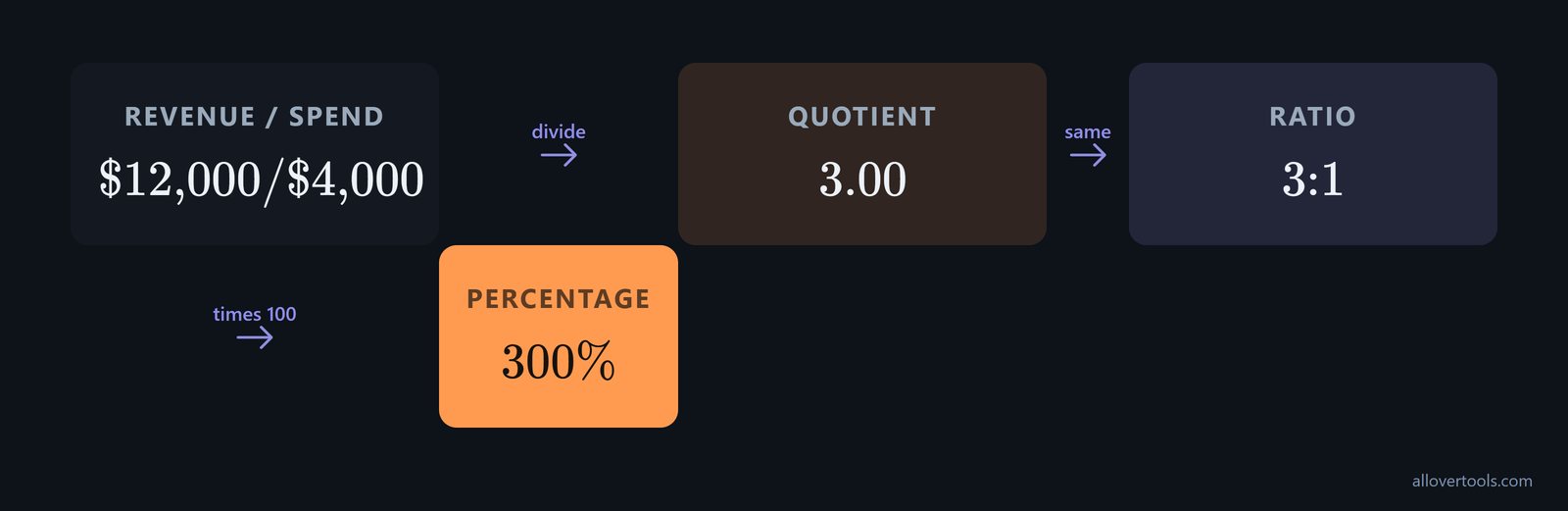
12,000 / 4,000 = 3.00
3.00 = 3:1
3.00 x 100 = 300%
Open the ROAS Calculator and enter Total advertising spend plus Attributed revenue. Set Currency and Period; Target ROAS - optional lets you add a goal. Currency and Period label the result; they don't convert or validate the figures. Choose Calculate ROAS to see the formula and its assumptions.
Estimate ROAS when direct sales are not measurable
When direct sales revenue can't be measured, make a separate estimate rather than replacing attributed revenue with total sales without saying so. The published alternative is ROAS = number of ad conversions * average number of sales conversion * average sales price - total ad spend, as the alternative formula sets out. It infers the sales outcome from ad conversions, an average sales conversion, and an average sales price.
Keep this result labeled as an estimate. It shouldn't be read the same way as the standard revenue-based ratio. Since the formula subtracts total ad spend, it's closer to estimated profit or ROI than classical ROAS. It provides a starting point when sales can't be observed directly, but it isn't the same calculation as attributed revenue divided by advertising spend.
Ratio ROAS versus percentage ROAS
You can read ratio ROAS as the revenue multiple. Percentage ROAS shows that multiple times 100.
Chosen inputs: $12,000 revenue, $4,000 spend
Ratio: 12,000 / 4,000 = 3.00:1
Percentage: 3.00 x 100 = 300%
When you read 3:1, you get $3 in attributed revenue for each $1 of ad spend. It isn't 3% and it isn't a 300% profit margin. Both labels describe one calculation.
ROAS calculation examples for 3:1 and 4:1 campaigns
These ROAS calculation examples use chosen values. You'll see the division first, then put the same inputs into the linked tool.
A chosen 3:1 campaign
For this chosen 3:1 campaign, you use $4,000 in advertising spend; its conversion revenue is $12,000.
12,000 / 4,000 = 3.00x
3.00x = 3:1
3.00 x 100 = 300%
That is $3 per $1. Use cost data and a lift check for profit and incremental lift.
A chosen 4:1 campaign
The chosen 4:1 campaign uses an ad budget of $5,000 and conversion revenue of $20,000.
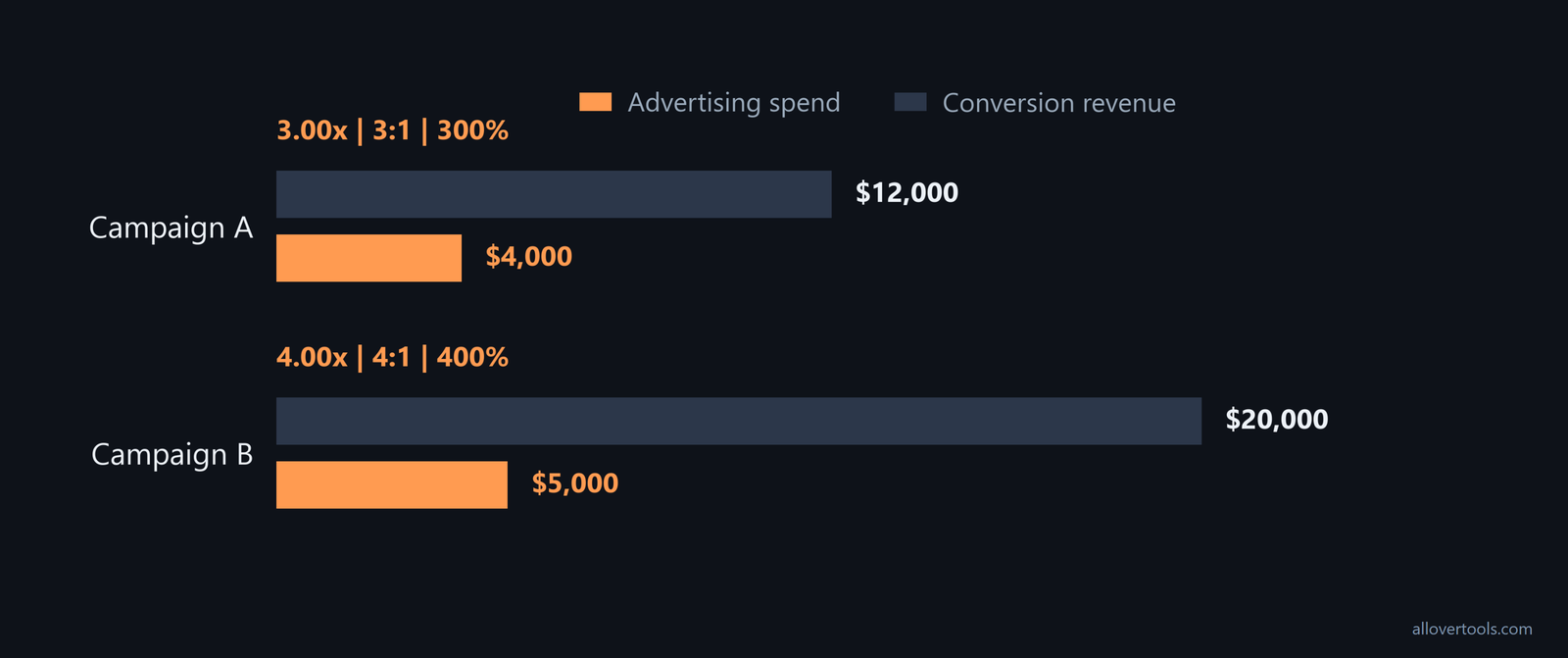
20,000 / 5,000 = 4.00x
4.00x = 4:1
4.00 x 100 = 400%
You get one more revenue dollar for each ad-spend dollar. The ratio is higher, while profit and incremental lift still need separate checks.
Open the Marketing Metrics Calculator and set Currency to USD ($). Set Attribution assumption to Not specified. For Campaign A, enter 100,000 impressions and 2,000 clicks; use 100 conversions with $4,000 spend and $12,000 revenue. For Campaign B, enter 160,000 impressions and 3,200 clicks; use 160 conversions with $5,000 spend and $20,000 revenue.
If the second row isn't present, choose Add campaign row. Then choose Calculate metrics. Campaign A returns ROAS 3.00x, CPM $40.00, CPC $2.00, with CTR 2.00% and conversion rate 5.00%; Campaign B returns ROAS 4.00x, CPM $31.25, CPC $1.5625, conversion rate 5.00%, and CTR 2.00%.
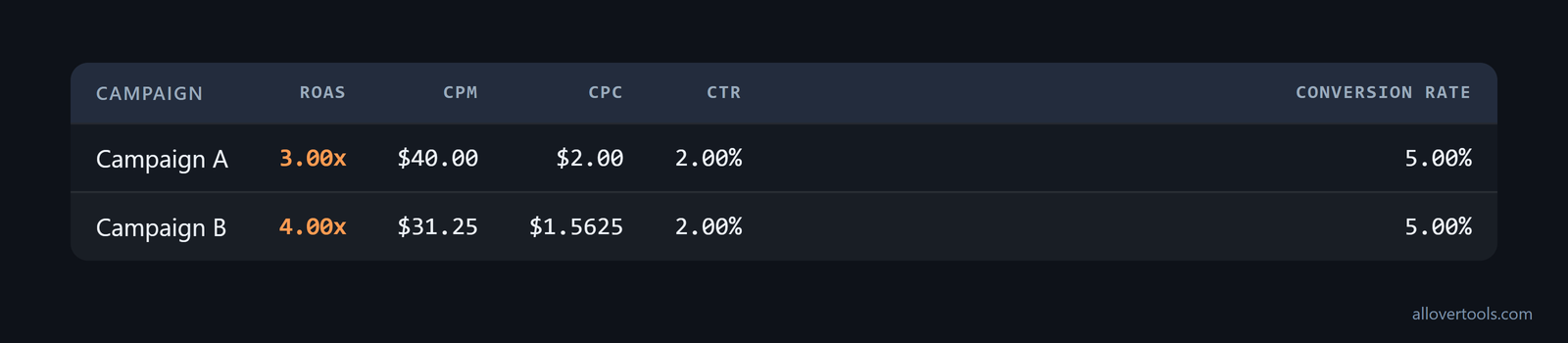
Campaign B has the higher ratio. Before scaling, check full costs for profit and run a lift check for incremental revenue.
Inspect Numerators and denominators to trace each revenue and spend value. The calculator does the arithmetic in your browser. It doesn't assign conversions. Its code makes no network request with the entered figures.
Use ROAS to compare targets and guide scaling decisions
You can use ROAS against a target, then investigate any gap before changing a budget, because a result above or below target tells you what to inspect next. It isn't an automatic scaling rule.
Don't treat a short reporting window as the final performance result when conversions arrive late. A campaign's revenue can be delayed by longer customer journeys, so weekly or monthly calculations may miss the link between spend during the period and the revenue that follows. Adobe's timing guidance recommends spacing ROAS calculations over time, such as once per quarter. Match the review period to the conversion lag before changing a budget.
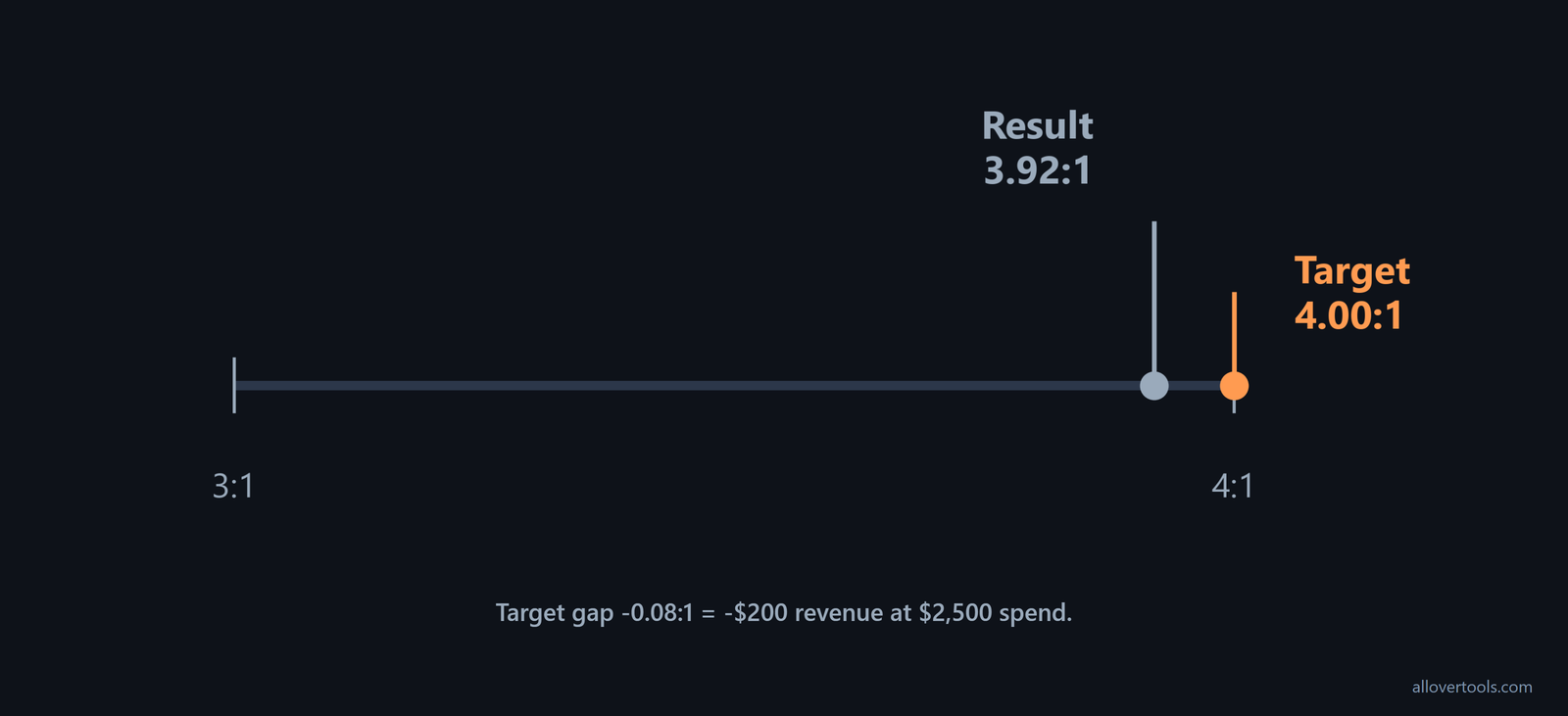
In the ROAS Calculator, enter $2,500 for Total advertising spend and $9,800 for Attributed revenue. Set Target ROAS - optional to 4.
ROAS: 9,800 / 2,500 = 3.92:1
Percentage form: 3.92 x 100 = 392.0%
Revenue minus spend: 9,800 - 2,500 = $7,300
Implied ROI: ($7,300 / $2,500) x 100 = 292.0%
Break-even revenue: $2,500
Target gap: 3.92 - 4.00 = -0.08:1
Revenue gap: -0.08 x $2,500 = -$200
Choose Calculate ROAS, then read Result and Formula used. Check the assumptions table. A target gap of -0.08:1 means you need $200 more attributed revenue at the same spend to reach 4:1. The follow-up controls are Copy result and Download result (.txt), and Reset is also available.
Set the target using product margin before relying on a generic benchmark. Breakeven ROAS is 1 ÷ margin. With a 25% profit margin, 1 ÷ 0.25 = 4x, so the product needs 4x revenue per dollar of ad spend to break even, as Unity's breakeven formula shows.
Use an industry figure for context, not as the rule for changing spend. Google considers average ROAS to be 2:1, or $2 in revenue for every $1 spent, as the cited Google benchmark reports. Compare that figure with the margin-based breakeven threshold before judging a campaign or changing its spend.
Before you scale, check that revenue attribution, spend scope, and the reporting period match, because a target gap is useful only when the figures describe the same campaign.
ROAS versus ROI
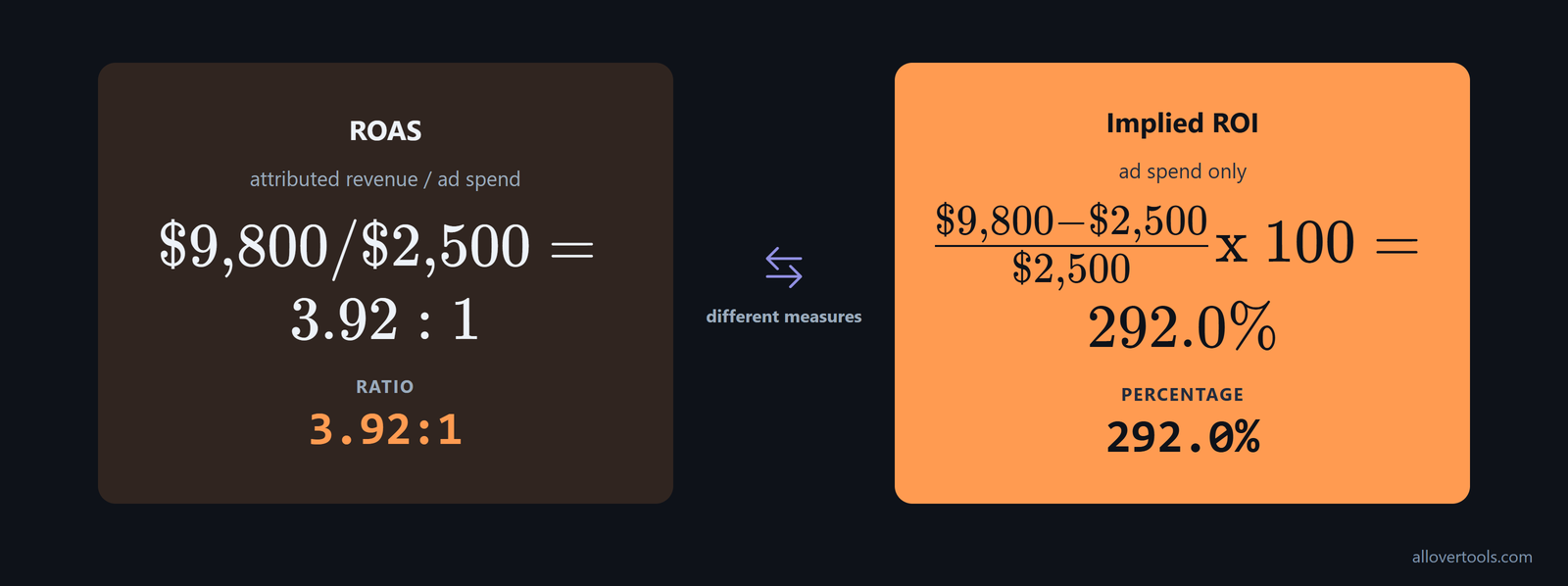
ROAS uses attributed revenue over ad spend, while ROI subtracts that spend first, divides by it, and expresses the result as a percentage.
Check what a report means by "profit" when it describes ROAS. Salesforce says ROAS measures profit generated from advertising campaigns, even though its formula divides ad-attributable revenue by ad cost, as the vendor's explanation shows. Trace the numerator and denominator, then label the result clearly as ROAS or ROI before comparing it with a margin-based target.
ROAS = $9,800 / $2,500 = 3.92:1
Implied ROI = (($9,800 - $2,500) / $2,500) x 100 = 292.0%
The tool's implied ROI uses ad spend only. Goods, refunds, discounts, fees, and overhead stay outside it. So treat it as a rough comparison, not full business profitability. ROAS and ROI are different measures.
Check a target before changing spend
Before you change spend, check the time window and crediting basis first. Then inspect conversion revenue and the target gap. In this example, 3.92:1 is 0.08:1 below 4:1, or $200 less revenue at $2,500 of spend.
- Verify the period and attribution basis.
- Inspect the conversion revenue and identify the reason for the gap.
- Then consider holding, adjusting, or scaling spend.
A single ratio can't explain the gap. You must check the figures behind it.
Why ROAS has limits in multi-touch funnels
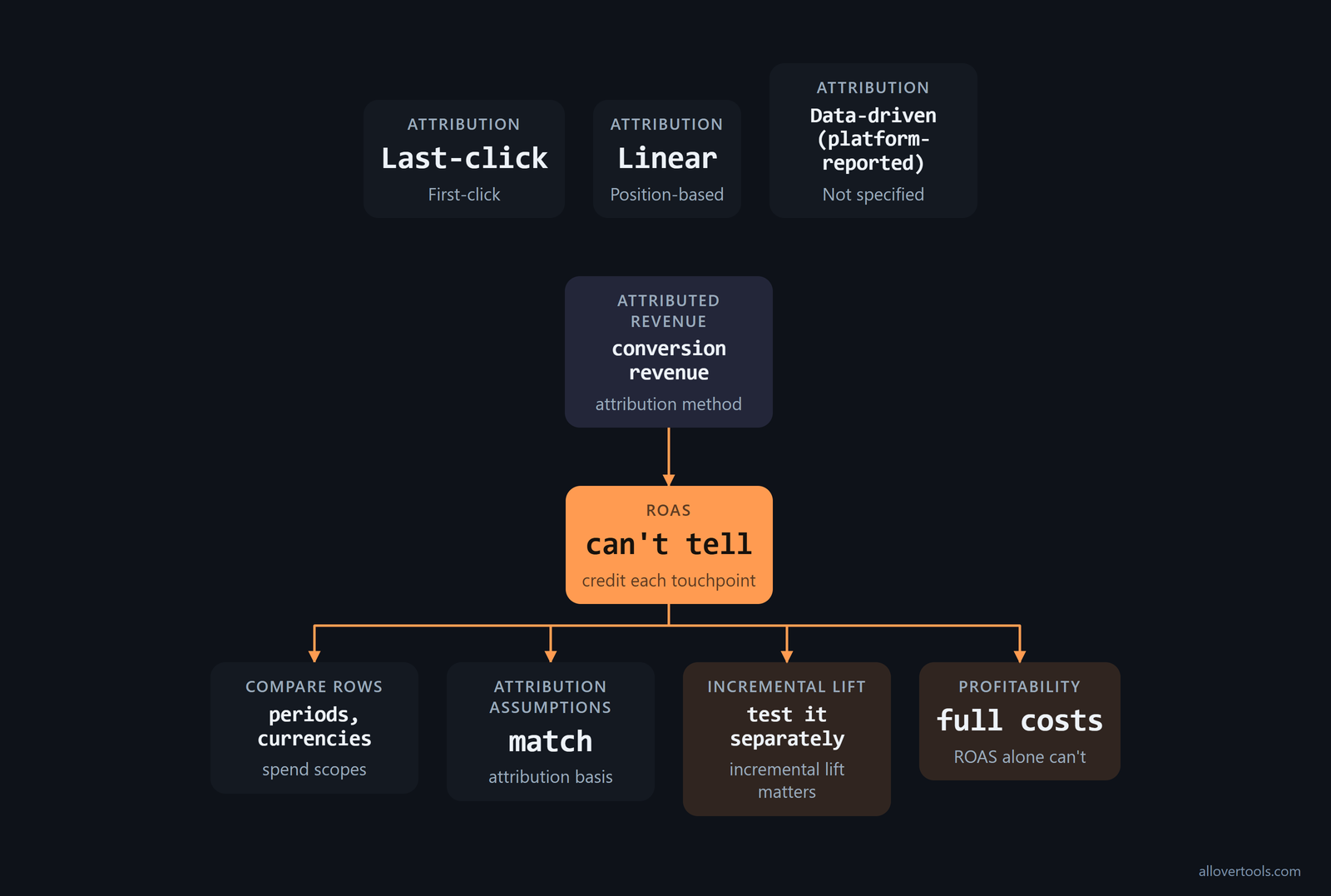
ROAS inherits the attribution method behind its conversion revenue. It can't tell you how much credit each touchpoint deserves.
A report may use several labels, such as Last-click and First-click, Linear and Position-based, or Data-driven (platform-reported), while Not specified records that no model was supplied. The calculator doesn't choose one for you.
Its Attribution assumption control records the model already reflected in the conversions and revenue; the calculator only labels those inputs and doesn't assign conversion credit.
Compare rows only when their periods, currencies, spend scopes, and attribution assumptions match, because a tidy ratio can hide unlike inputs and point the next budget review in the wrong direction. If incremental lift matters, test it separately. For profitability, include goods, refunds, discounts, fees, and overhead; ROAS alone can't supply those costs.
The calculators use only entered numbers and don't connect to an ad platform. Your figures stay in the browser, while attribution windows and reporting scope remain yours to verify.
Frequently asked questions
How do you calculate ROAS from revenue and ad spend?
Take the attributed revenue and divide it by the full ad spend from that period or campaign. With the chosen figures, $12,000 / $4,000 = 3.00:1, or 300%.
What does a 4:1 ROAS mean?
It means the measured attributed revenue is four times the ad spend. The chosen $5,000 and $20,000 figures produce 4.00x, or 400%.
Is ROAS the same as ROI?
No. ROAS takes attributed revenue and divides it by ad spend. ROI removes that spend before division and may need more cost inputs to show business profitability.
Can ROAS be trusted in a multi-touch funnel?
Only if the revenue uses a consistent attribution method. The calculators label the assumption you provide, but they don't allocate conversion credit or verify the attribution window.
What should I do when ROAS is below my target?
Check that your spend and revenue match, then confirm the reporting dates and credit model before you use the target gap to measure missing revenue. Change the budget only after that review. A below-target result is a prompt to investigate, not a scaling rule by itself.